> ## Documentation Index
> Fetch the complete documentation index at: https://docs.testgenai.com/llms.txt
> Use this file to discover all available pages before exploring further.
# Upgrade And Downgrade
> The Upgrade & Downgrade feature allows you to change your subscription plan to better suit your needs at any time.
## 1. Upgrading Your Plan
* **Upgrade Anytime:**\
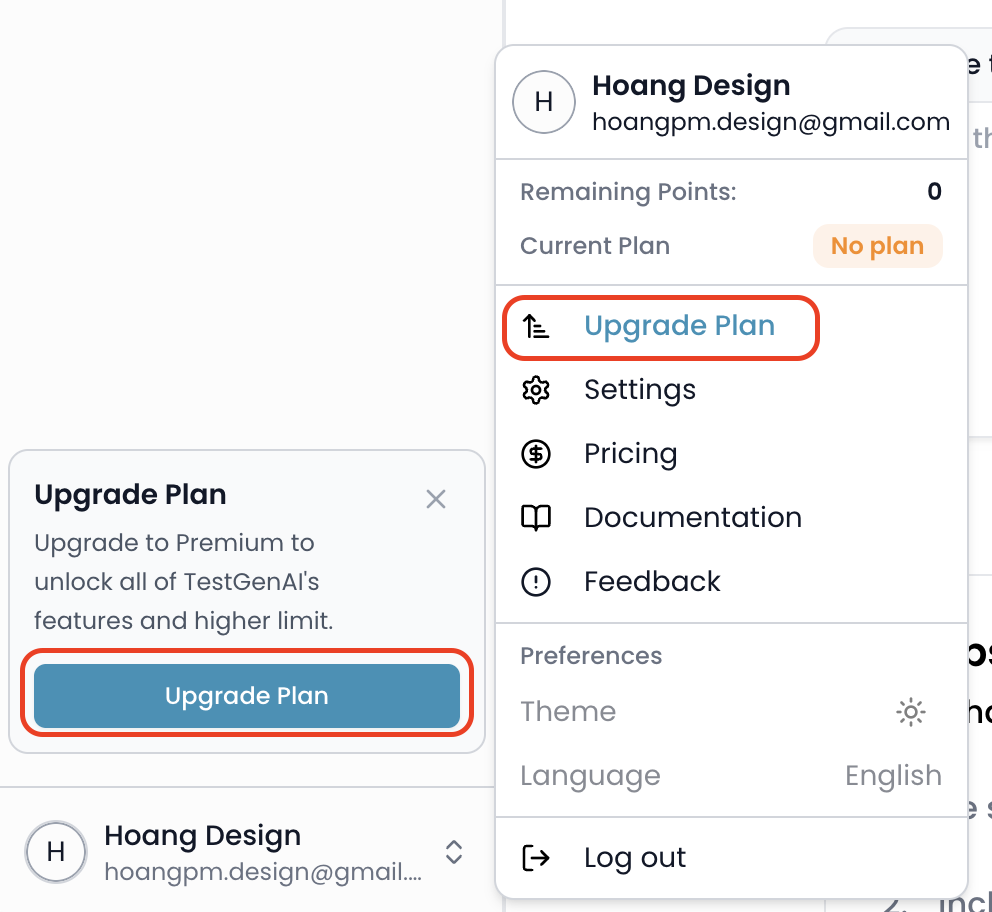
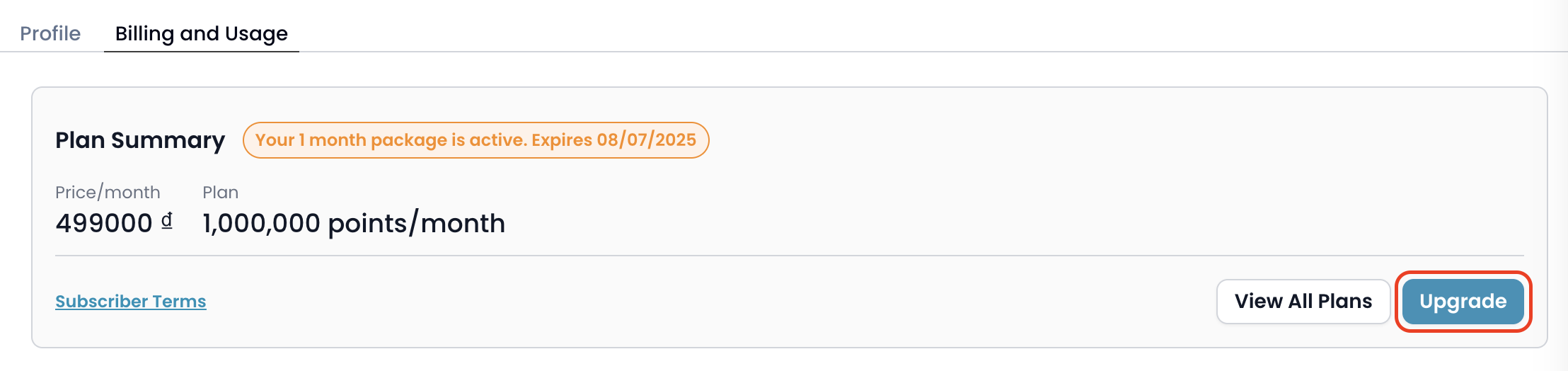
You can upgrade your plan at any time from the **Profile** dropdown (select "Upgrade Plan") or by navigating to **Settings > Billing and Usage** and clicking the **Upgrade** button.
 * **Plan Selection:**\
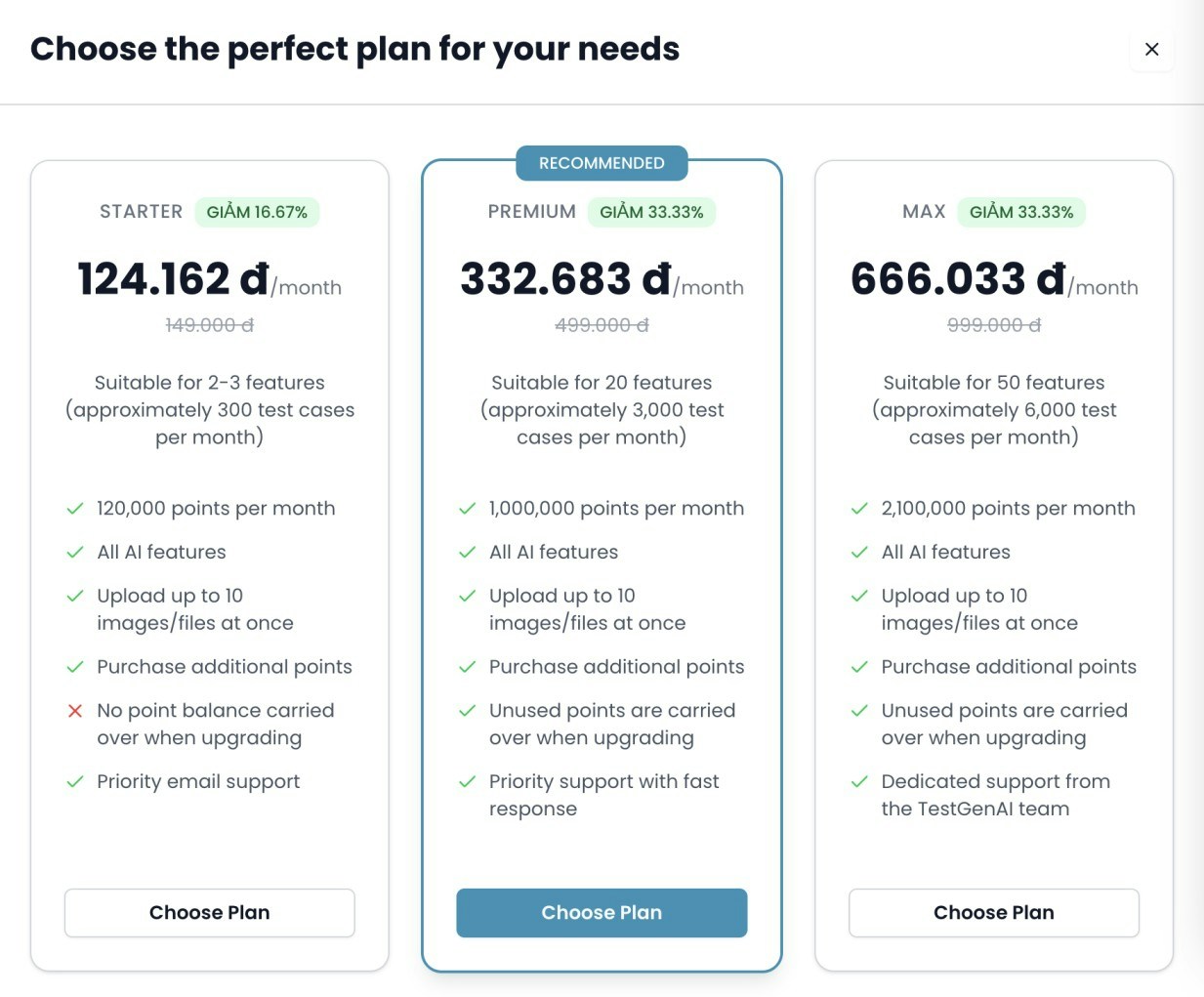
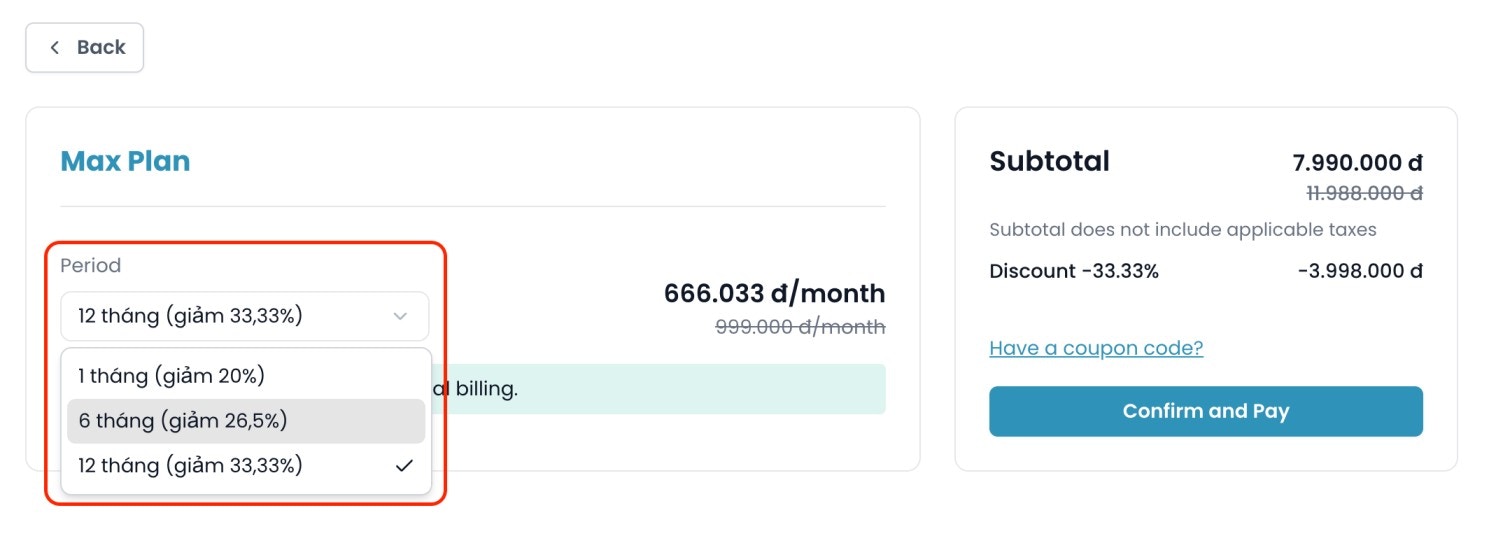
A popup will display all available plans. Select the plan you wish to upgrade to. You will then be directed to the payment page, where you can choose your desired billing period (1 month, 6 months, or 12 months). Longer periods come with greater discounts.
* **Plan Selection:**\
A popup will display all available plans. Select the plan you wish to upgrade to. You will then be directed to the payment page, where you can choose your desired billing period (1 month, 6 months, or 12 months). Longer periods come with greater discounts.
 * **Unused Credits Handling:**
* If you are upgrading from the **STARTER** plan, unused credits are **not** deducted from the new plan price.
* If you are upgrading from the **PREMIUM** plan, the value of your unused credits will be **deducted** from the price of the new plan.
* **How Unused Credits Value Is Calculated:**
1. **Value per credit** = Amount paid ÷ (Total monthly credits × Number of months)
2. **Value of unused credits** = Number of unused credits × Value per credit
**Example:**\
If you purchased a 12-month PREMIUM plan for 4,990,000₫:
* Value per credit = 4,990,000 ÷ (1,000,000 × 12) = 0.416₫
* If you have 500,000 unused credits, value = 500,000 × 0.416 = 208,000₫
* This amount will be deducted from the price of your new plan.
Unused Additional Credits are not deductible when upgrading your main package.
## 2. Downgrading Your Plan
* **Downgrade Policy:**\
You **cannot downgrade** your plan during the current billing cycle.\
To switch to a lower plan, wait until your current plan expires, then select and purchase a new plan.
## 3. Purchasing Additional Credits
* Users on **STARTER, PREMIUM, and MAX** plans can buy extra credits after using up their monthly allocation.
* Additional credits are valid **only for the current monthly cycle** and will expire at the end of that period.
Purchase more credits when your plan runs out of credits in current month.
## 4. Renewal Policy
* **No Auto-Renewal:**\
We do **not** support automatic subscription renewal. When your plan expires, you will need to purchase a new plan to continue using premium features.
* **Unused Credits Handling:**
* If you are upgrading from the **STARTER** plan, unused credits are **not** deducted from the new plan price.
* If you are upgrading from the **PREMIUM** plan, the value of your unused credits will be **deducted** from the price of the new plan.
* **How Unused Credits Value Is Calculated:**
1. **Value per credit** = Amount paid ÷ (Total monthly credits × Number of months)
2. **Value of unused credits** = Number of unused credits × Value per credit
**Example:**\
If you purchased a 12-month PREMIUM plan for 4,990,000₫:
* Value per credit = 4,990,000 ÷ (1,000,000 × 12) = 0.416₫
* If you have 500,000 unused credits, value = 500,000 × 0.416 = 208,000₫
* This amount will be deducted from the price of your new plan.
Unused Additional Credits are not deductible when upgrading your main package.
## 2. Downgrading Your Plan
* **Downgrade Policy:**\
You **cannot downgrade** your plan during the current billing cycle.\
To switch to a lower plan, wait until your current plan expires, then select and purchase a new plan.
## 3. Purchasing Additional Credits
* Users on **STARTER, PREMIUM, and MAX** plans can buy extra credits after using up their monthly allocation.
* Additional credits are valid **only for the current monthly cycle** and will expire at the end of that period.
Purchase more credits when your plan runs out of credits in current month.
## 4. Renewal Policy
* **No Auto-Renewal:**\
We do **not** support automatic subscription renewal. When your plan expires, you will need to purchase a new plan to continue using premium features.